Repair or Replace? How to Decide If Your Computer Is Worth Fixing
Age is a poor way to judge a computer; the problem in front of you tells you far more.
October 16, 2026 · 4 min read
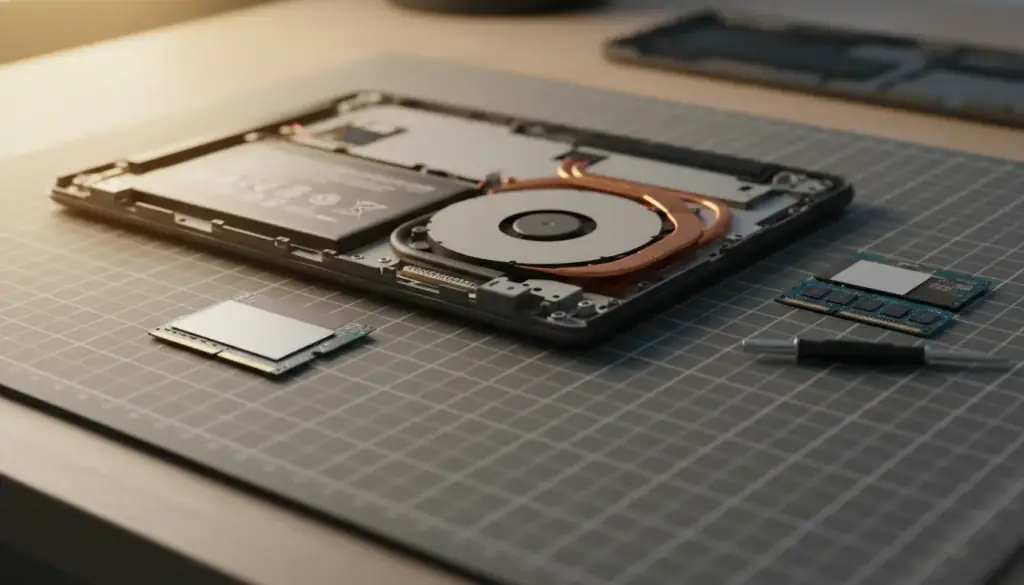
When a computer starts acting up, the first thought is usually, "It's old, so maybe it's time for a new one." Sometimes that's true. Often it isn't. A five-year-old machine with a worn-out drive can feel brand new after the right fix, and a two-year-old machine with a failing motherboard can be a poor place to put more money.
The better approach is to stop asking how old the computer is and start asking what is actually wrong with it. Four questions will get you to a sensible answer, and none of them require a technical background.
Start with the problem, not the age
Age matters, but only as one piece of the picture. Computers don't wear out on a calendar. They fail in specific parts for specific reasons, and some of those parts are cheap and easy to swap while others are not.
A machine that takes five minutes to boot might just be choked by a crowded startup list or a tired hard drive. A laptop that shuts off at random could have a dusty fan or a battery on its way out. Those are very different situations from a machine with a cracked board or a dead graphics chip. Until you know which one you're dealing with, any decision is a guess.
Question one: what is the cause?
Before you weigh anything else, you need a real diagnosis. That means someone testing the hardware and checking the software, not just guessing from the symptoms. The same symptom can come from very different causes.
- Slow performance can come from an old spinning hard drive, too little memory, too many background programs, or malware.
- Random restarts can come from overheating, a failing power supply, bad memory, or a driver conflict.
- A machine that won't turn on can be a dead power supply, a loose connection, a drained battery, or a failed board.
- Blue screens can point to a damaged driver, corrupted system files, or a failing component.
Once the cause has a name, the rest of the decision gets much easier. If the cause is a part that's easy to replace, repair is usually the natural choice. If it's the board that everything else plugs into, the math changes.
Question two: what will the repair cost?
You should hear the cost before any work begins, laid out clearly, with the reason for each line. If a quote is vague, or the shop wants to start first and explain later, that's a signal to slow down and ask questions.
Ask what the repair includes, whether parts and labor are separate, and what happens if the first fix doesn't solve the problem. A good technician will tell you plainly if the repair is a long shot, and will tell you if a cheaper option exists. You're not just buying a repair, you're buying an honest read on your situation.
Question three: how much longer will it last?
A repair only makes sense if the machine will stay useful afterward. Fixing one problem on a computer that has three more waiting is rarely a good deal, so it helps to look at the whole machine, not just the part that failed.
Think about what you use it for. A computer that handles email, browsing, and documents has a long useful life if the hardware is healthy. A gaming rig or a machine running demanding software may run out of headroom sooner. Also consider whether the operating system still receives security updates, because a machine that can't be kept current is a risk no matter how well it runs.
Upgrades can change this answer a lot. Moving from a spinning hard drive to a solid-state drive or adding memory often gives an older machine another useful stretch, for a fraction of what a replacement would run.
Question four: what does a comparable new machine cost?
This is the question people skip, and it's the one that keeps you from overpaying in either direction. Look up what it would take to replace what you have today, not the fanciest model on the shelf. Compare like with like: similar speed, similar storage, similar screen size.
Then add the hidden costs of switching. A new computer means moving your files, reinstalling programs, re-entering passwords, and getting your printer and accessories to cooperate. None of that is impossible, but it takes time, and some older software may not run on a new system at all.
Putting the four answers together
Lay the answers side by side. If the cause is clear, the fix is reasonable next to the cost of a comparable new machine, and the computer should serve you well afterward, repairing it is usually the practical choice. If the fix is large, the machine has other problems stacked behind it, or the replacement is close in cost, buying new starts to make sense.
There's no shame in either answer. The goal is to spend your money once, on the option that actually solves your problem.
If you'd like a straight answer on your own machine, Computer Paramedics offers Computer Diagnostics & Troubleshooting with the root cause and the cost explained before any work begins. Ken can come to your home or office within about 30 miles of Gilbert, or you can drop the computer off. Call or text (623) 888-9993, any day from 9am to 6pm.
Computer Paramedics, (623) 888-9993
Call (623) 888-9993More articles
Is Your Computer Dying? 8 Warning Signs You Should Not Ignore
Most computers give plenty of notice before they quit, if you know what to look for.
Do Not Turn Off Your Computer: What to Do When a Windows Update Fails
That warning screen can feel like a trap, but a few calm steps usually keep a bad situation from getting worse.