Overheating, crashes mid-game
Gaming PC & Laptop Support
Maximize frame rates and eliminate unexpected mid-game crashes with cooling adjustments, thermal re-pasting, display driver optimization and custom hardware upgrades.
Heat is behind most of it: paste, airflow and liquid coolers
Plenty of gaming trouble that looks like a software problem is really heat. A processor that throttles, fans that scream and then a shutdown in the middle of a match usually trace back to thermal paste that has dried out, dust that has choked the airflow, or a liquid cooler that has stopped doing its job. Under Thermal Pasting & Airflow Tuning, Ken re-pastes the processor, reworks how air moves through the case, and repairs liquid coolers so the rig holds its clocks under load.
A gaming laptop gets the same attention from underneath: the panel comes off, the heat pipes and twin fans get looked over, and fresh paste goes on a bare processor. Bring it to the shop on S Pueblo St in Gilbert and Ken tests it on the bench, or ask him to visit anywhere within 30 miles if a tower is easier to service where it sits. The cause and the cost are explained before he starts.
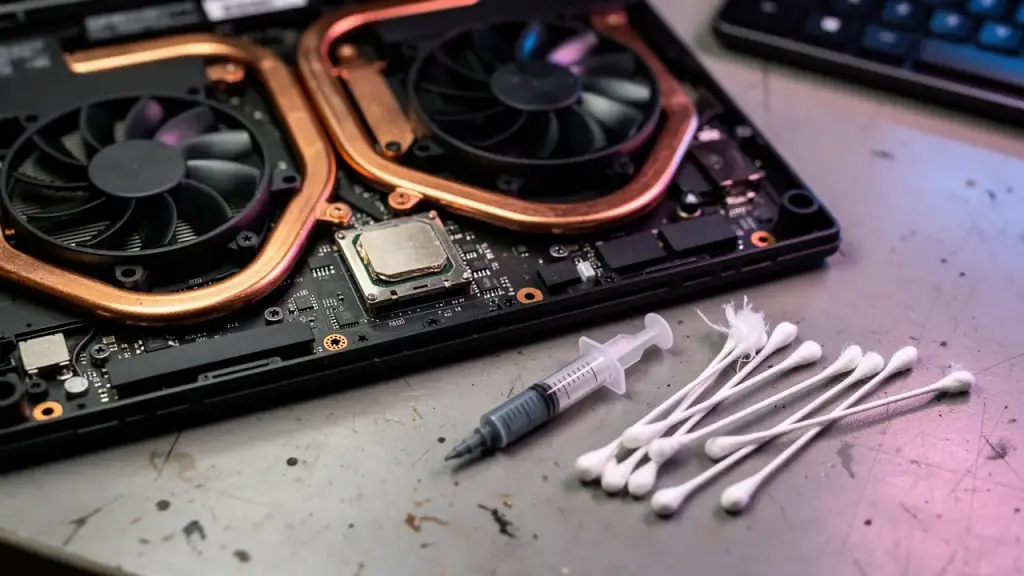
Gaming laptop opened from underneath with copper heat pipes, twin fans and a thermal paste syringe beside the bare processor
Drivers, BIOS and the crashes that only happen mid-game
A crash that only shows up at the worst moment is hard to chase, because it won't happen on demand. Driver & BIOS Optimization starts with the usual suspects: a graphics driver out of step with the game, a BIOS setting fighting the hardware, a Windows install that has picked up conflicts over the years. Game Crash & Artifact Fixing covers the visual side too, the flickering textures and stray shapes that point to a driver fault or a card running hotter than it should.
Ken works through it in order and tells you what he finds. Call or text (623) 888-9993 with the game, the symptom and the machine, any day from 9 to 6, and say when it happens. The more exactly you can describe it, the faster he narrows it down. If the cause turns out to be a failing part, he'll say so plainly and lay out the cost of the fix against the cost of a swap before touching anything.
Upgrades: GPU, CPU, power supply, cooling and tidy cables
Component & GPU Upgrades starts with what your rig can actually take. A faster graphics card needs a power supply with the headroom to feed it, a case with the room and airflow to cool it, and a processor that doesn't hold it back. Ken checks those against each other before you buy anything, so the money goes into the part that moves your frame rate rather than the one that was already waiting on something else.
Custom cooling and cable management finish the job. Tidy cables keep air moving through the case and make the next upgrade easier, and a cooler or loop fitted properly keeps new hardware inside its temperature limits. Ken is the only technician, so the plan you agree on over the phone is the plan he carries out at the bench, and the person who answers when you call back is the person who did the work.
“I had him repair my gaming laptop that several other people had told me was non-repairable.” Shayne Guffey, Google review.
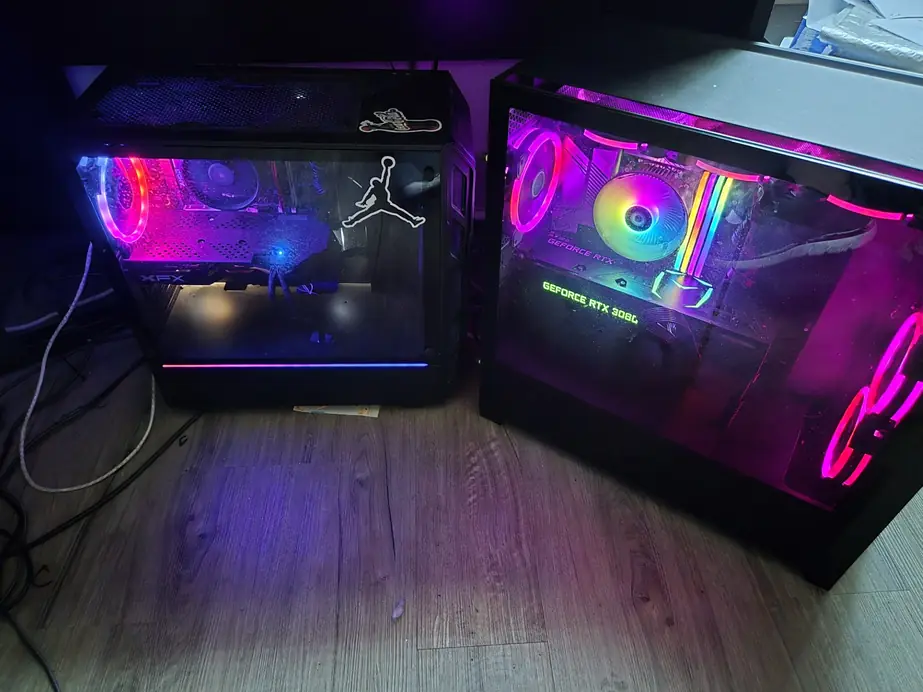
Rigs that come in for a tune-up
A build that looks this good should run as cool as it looks
Glass panels and RGB make a machine easy to love and easy to cook. Often a rig isn’t broken at all. It’s hot, dusty or running a driver that no longer suits the game, and a tune-up is where to start.
If you’re not sure which it is, start with diagnostics, or read what other gamers and PC owners said, or send Ken a note through the contact page with the make and model.