Gilbert, AZ
(623) 888-9993

Slow, dead battery, noisy fan

Hardware Repair & Upgrades

Extend the life and speed of your laptop or desktop without buying a new system: SSD conversions, memory expansions, power supply fixes and part replacements.

An SSD that brings your whole machine along

A slow laptop or desktop is very often a slow drive. Swapping an old spinning hard drive for a solid-state drive is the one upgrade that changes how a machine feels, and it's the one that lets people keep a computer they'd otherwise replace. Ken clones your current setup directly over to the new drive, so your files, your programs and your settings are all still there when you sit back down. Nothing gets reinstalled from scratch, and nobody hands you a blank desktop and a list of chores.

That is what the Ultra-Fast SSD Conversions and Full System Data Migration standards mean in practice. Bring the machine to the shop on S Pueblo St in Gilbert, or ask Ken to come to you anywhere within 30 miles. Before anything gets opened he tells you what the swap involves and what it will cost, in plain language. Already bought the drive yourself, maybe as a gift? He'll fit yours, and he calls with updates while the clone runs.

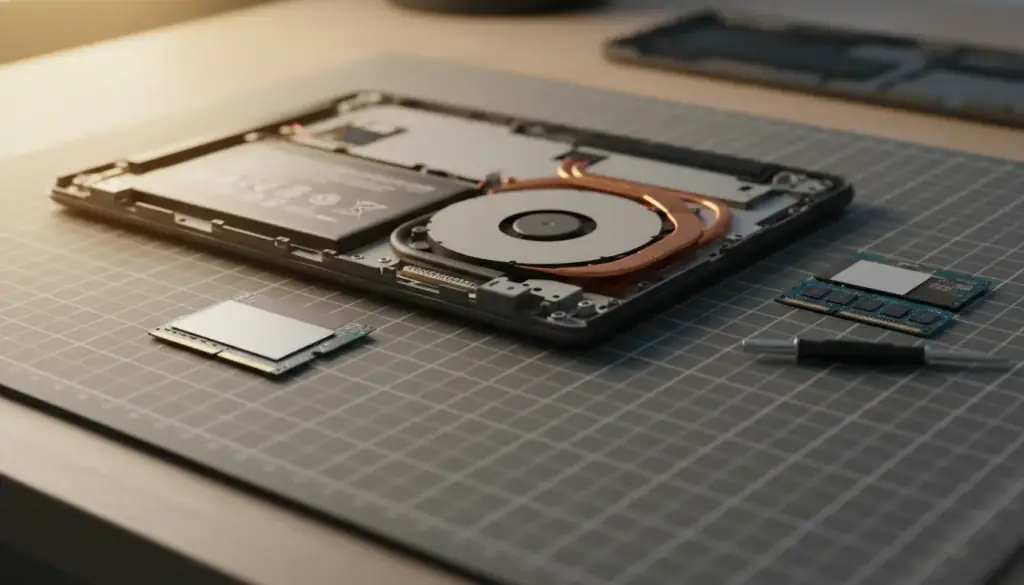
Laptop with its bottom cover off on a cutting mat, a new SSD and two memory modules laid beside it

Laptop with its bottom cover off on a cutting mat, a new SSD and two memory modules laid beside it

Memory matched to your board

More memory helps when a machine stalls the moment you open a second program, but only the right memory helps. Every board accepts particular types, speeds and a maximum capacity, and a stick that doesn't suit the board is money in a drawer. Under High-Performance RAM Mods, Ken checks what your motherboard supports and what is already installed before he recommends anything, then fits the modules and confirms on the bench that the system sees every gigabyte of it.

Because Ken owns the business and does the work himself, the person who looks at your machine is the person who answers (623) 888-9993. Call or text any day between 9 and 6, describe what the computer is doing, and he'll tell you whether memory is even the problem. Sometimes it isn't, and you'd rather hear that on the phone than find out after you've paid for parts you didn't need.

Power, cooling and the parts that wear out

Failed internal power supplies, fans that rattle and grind, damaged motherboards, laptop batteries that no longer hold a charge: these are the repairs behind Power & Cooling Replacement. They are also the repairs where it's easiest to overspend, because a motherboard on an older machine can cost more to fix than the whole machine is worth to you. A good repair shop has to be willing to say so out loud, and Ken is.

His rule is to weigh the cost of the repair against a replacement and recommend the most practical option, the one that stretches your technology budget furthest. You get the root cause explained first and a clear breakdown of the cost before any work begins, with no surprise fees and no upsells. A lot of this work is quick: one customer's PC went in and came back running within hours the same day, while other shops had quoted two to three days.

“I got an ssd for my birthday and needed someone to install.” Sydney McKinzie, Google review.

Fix it or move on

Four questions settle most repair-or-replace calls

The age of a computer decides very little. The problem in front of it decides most of it, so Ken starts there and works through the same four questions every time. You hear the answers in plain English before any bill exists, then you choose.

If the answer is a new machine, he'll say that too, and he can move your files across. If you want to read more first, the blog goes through the thinking, or you can see what other customers said about the way he explains things.

Repair or replace

Four questions

The cause
What is actually wrong? A dead fan and a failing board can look alike from the desk chair, and they cost very different amounts.
The repair
What will the fix cost, parts and time included, written down before Ken starts any work?
The runway
How much longer will the machine last once it's repaired? A repair that buys a few months isn't the same as one that buys years.
The new one
What does a comparable new machine cost? Only once you know that does the repair figure mean anything.